



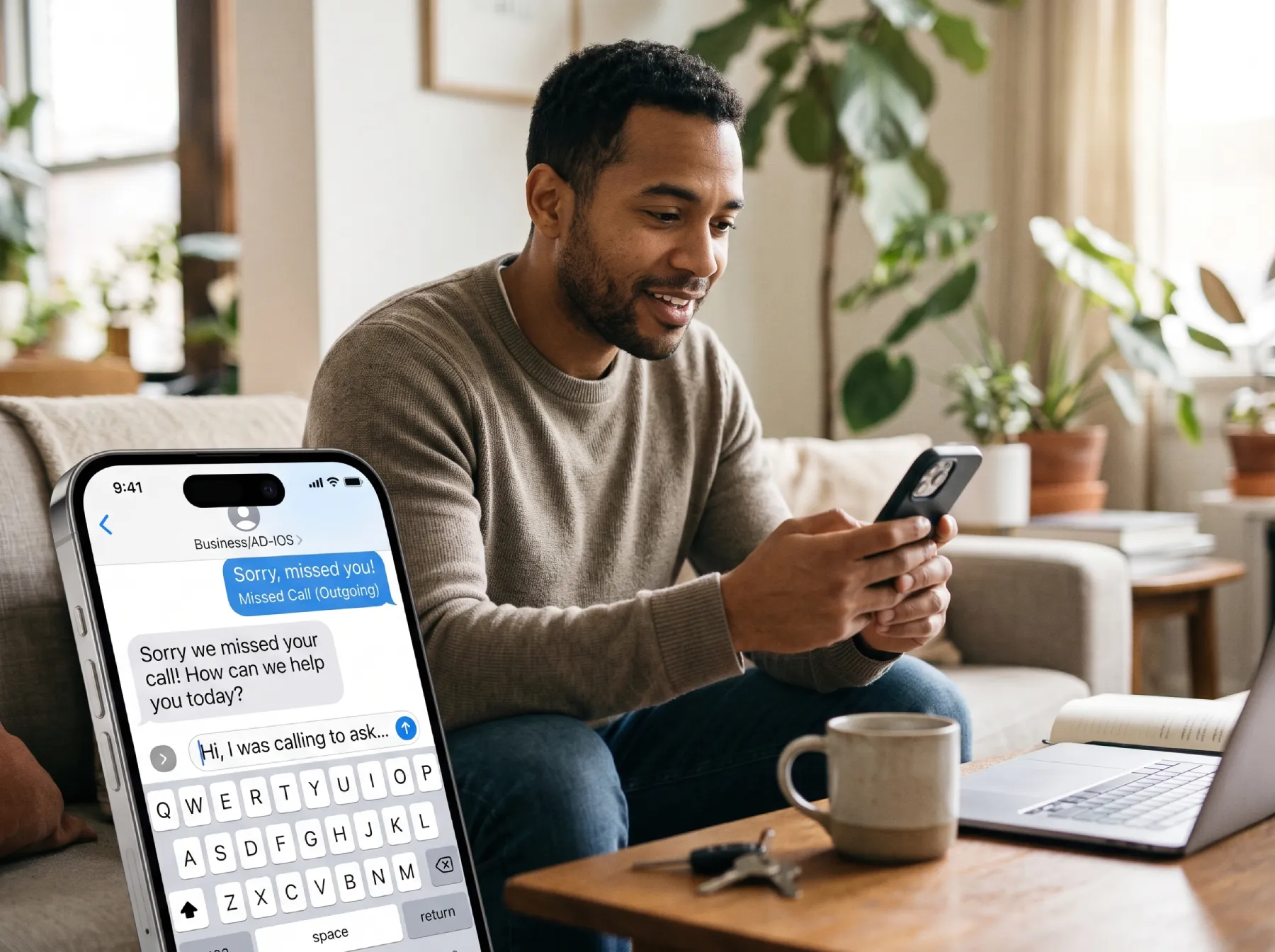
A missed call text back system sends a short text when a business cannot answer an incoming call. Its job is to acknowledge the inquiry and give the caller a practical next step. It does not replace a conversation, guarantee a booking, or make an unavailable team instantly available.
For a contractor working on a job site, a clinic receptionist helping a patient, or a small business closing for the evening, that acknowledgment can be useful. The important question is what happens after the message arrives. A thoughtful workflow connects the caller to someone who can help, keeps promises realistic, and leaves a record your team can understand.
Here is how to plan that workflow before turning it on.
Start With the Customer’s Unanswered Question
A caller usually has a reason for choosing the phone. They may need to explain a problem, check availability, or find out whether your business handles a particular service. An automatic reply should make that next conversation easier.
A vague message such as “Thanks for contacting us” acknowledges activity but does not explain what the customer can do. A more useful response identifies the business, acknowledges the missed call, and asks one simple question.
For example: “Thanks for calling [business]. We couldn’t answer just now. What service are you looking for, and what is the best time for our team to follow up?”
That is sample wording, not a message approved for every business or messaging program. Adapt it to your service, operating hours, and communication requirements. Avoid asking for private medical, financial, or account information through an ordinary text conversation.
Understand What Actually Triggers the Message
The phrase automatic text reply to missed calls sounds straightforward, but phone systems can classify calls differently. A call that rings out, reaches voicemail, is rejected, or passes through a forwarding number may not follow the same path.
Document the routes your customers actually use. Include the main number, advertised tracking numbers, extensions, and any after-hours forwarding. Ask which event your platform considers a missed call and whether the automation runs before or after voicemail.
HighLevel’s missed-call text-back documentation describes configuration and number-selection behavior for its platform. Those details illustrate why implementation must be checked against the current system rather than assumed from a feature name.
A feature appearing in a subscription list is the beginning of the evaluation. You still need to test it with the phone numbers, routing rules, permissions, and staff responsibilities used by your business.
Decide Who Receives the Conversation
Automation can start a conversation, but someone needs to own the reply. Assign an individual, role, or shared inbox before publishing a promise about follow-up.
Consider a hypothetical plumbing company with two office employees. If both assume the other person is handling new messages, the customer may receive an immediate acknowledgment followed by silence. If both respond independently, the customer may receive conflicting availability.
A useful handoff rule explains:
- Who watches new replies during business hours.
- Who covers lunches, absences, and busy periods.
- When an unanswered conversation escalates.
- Where the conversation is marked complete.
- What happens when the inquiry concerns an existing job.
Define completion carefully. A text marked “read” is not necessarily resolved. A conversation may need a phone call, an estimate request, an appointment, or an explanation that the business cannot provide the requested service.
Write Separate Messages for Different Availability
During Business Hours
A daytime reply should reflect the team’s real ability to respond. If calls are answered between customer appointments, explain that a team member will follow up when available. Do not promise a precise response time unless you can support it operationally.
One question is usually easier to answer than a long intake form disguised as a text. Ask for the service needed or the preferred callback time, then let a person clarify the details.
After Hours
An after-hours message should say that the office is closed and explain the next available contact route. If the business has a confirmed emergency channel, provide that channel accurately. If it does not, do not imply that the automated inbox is monitored for urgent requests.
Keep different schedules in mind. Holiday closures, staff training days, and temporary outages can make a normal-hours message inaccurate. Give someone responsibility for reviewing exceptions before they occur.
Prevent Repeat Calls From Becoming Repeat Texts
Customers sometimes call more than once because they are uncertain whether the first attempt connected. A workflow that texts after every attempt can feel repetitive or intrusive.
Ask your provider how repeat-call suppression works. The appropriate approach depends on the platform and customer journey. You may need to limit repeated acknowledgments within a defined period, check whether a conversation is already active, or stop automation after a staff member responds.
Also consider calls from shared phone numbers. A family member, business office, or property manager may use one number for several inquiries. Treat a phone number as a contact clue, not proof that every call concerns the same person or job.
Test these edge cases deliberately. They are easier to resolve before customers encounter them than after a confusing exchange reaches the office.
Make the Next Step Appropriate to the Service
A booking link can be helpful when appointments are standardized and the calendar is accurate. It can be frustrating when a service requires a site assessment, clinical screening, equipment details, or a conversation before scheduling.
For an estimate-based business, a short request form may be the right next step. For an existing customer, the correct route may be a service coordinator rather than a new-lead calendar.
Use descriptive language around any link. Tell the customer whether it opens appointment availability, an estimate form, or general information. Check the link on a phone and complete the process yourself.
Do not add several competing destinations to the first message. A website, booking page, social profile, promotion, and survey create more decisions than the customer needs at that moment.
Review Permission, Preferences, and Message Content
An incoming phone call should not be treated as blanket permission for an unrelated promotional sequence. The operational acknowledgment and later marketing messages need to be evaluated separately.
Have the person responsible for your messaging program review applicable requirements, sender identification, opt-out handling, and the customer’s communication preferences. Confirm that your platform respects suppression settings and that staff understand how to stop messages when requested.
Avoid placing sensitive information in automatic replies. A medical practice, for example, can acknowledge a general inquiry without naming a treatment, discussing a condition, or asking the caller to disclose health details by text.
This review is also a writing exercise. Read the message as a customer who has never heard of your software. The business identity, reason for the message, and next step should be clear without technical explanation.
Twilio’s messaging policy provides a platform-specific reference for sender identification, consent, and opt-out handling. Check the requirements of the service actually carrying your messages rather than treating sample wording as a compliance decision.
Test the Complete Journey Before Launch
A successful test is more than seeing a message arrive on your own phone. Create a small test plan that checks the different ways a caller can reach the business.
Test an unanswered call during normal hours, an after-hours call, a call that reaches voicemail, and repeated attempts from the same number. Test what happens when a customer replies, asks to stop, or uses a number that cannot receive texts.
Then follow the inquiry through the team’s inbox. Can staff see the original call? Is the reply assigned correctly? Can they tell whether a booking occurred? Does the conversation remain understandable when another employee takes over?
Record expected and actual behavior. If a test fails, identify whether the problem involves routing, messaging eligibility, delivery, assignment, or the linked destination. That distinction prevents repeated adjustments to the wrong part of the workflow.
Measure Conversations, Not Just Messages Sent
A large number of automatic texts does not establish business value. The report should distinguish an attempted send from delivery, a customer reply, a qualified inquiry, and an actual next step.
Track outcomes that fit the business. An appointment-based company may care about confirmed bookings. A contractor may care about qualified estimate requests. An equipment supplier may need a phone conversation with the right purchasing contact.
Include a practical quality check. Read a sample of conversations to find inaccurate promises, confusing questions, or leads that stall after the first reply. A smaller set of well-handled conversations may be more useful than a larger set of automatic acknowledgments.
If you compare results before and after launch, explain other changes that could affect them, such as advertising spend, staffing, seasonality, or a different phone number. Do not assign every new booking to one automation.
Connect the Workflow to Your Wider Lead Process
A missed call text back workflow works best as part of an organized lead process. Calls, forms, appointment requests, and customer replies should have clear ownership and a consistent record.
AD-IOS advertises missed-call response and related lead-management features through its CRM offering. For a business in Nicholasville, Lexington, or elsewhere in the United States, the useful starting point is a process discussion: which calls are being missed, what the caller needs, and what your team can realistically do next.
Prepare a list of your phone numbers, office hours, routing rules, and current follow-up responsibilities. Those details make a software conversation more concrete and help separate a genuine workflow need from an appealing feature label.
AD-IOS’s Lead Connector overview provides more context for discussing how follow-up fits a broader lead-management workflow.
Frequently Asked Questions